

Common Computer Mistakes Seniors Should Avoid
As digital technology becomes increasingly integrated into everyday life, seniors—defined as individuals aged 65 and above—face unique challenges navigating computers safely and efficiently. Computer mistakes among seniors can range from security lapses to usability errors, often stemming from a lack of experience or confidence. According to Pew Research Center (2021), while 75% of seniors use the internet, many report difficulties with technology, which increases their vulnerability to scams and reduces the benefits they could gain from digital tools. This article explores common mistakes seniors make with computers, including poor password management, falling for phishing scams, ignoring software updates, and misunderstanding privacy settings. We will define each issue, explain its impact, and offer practical solutions to empower seniors to use computers more effectively and securely.
Poor Password Practices and Senior Computer Mistakes
Poor password management is one of the most prevalent computer mistakes seniors make. Dr. Jennifer Golbeck, a cybersecurity expert at the University of Maryland, defines poor password practices as the use of easily guessable, reused, or unencrypted passwords that jeopardize user security. According to a 2022 report by Verizon, over 80% of hacking-related breaches involve compromised, weak, or reused passwords. This highlights the critical nature of password hygiene in digital safety—a key concern for seniors who may struggle with creating and remembering complex passwords.
Hyponyms within poor password practices include using simple passwords like “123456,” writing passwords down in insecure locations, and neglecting two-factor authentication (2FA). These behaviors magnify security risks, making accounts susceptible to unauthorized access. Transitioning from password errors, it is essential to consider another major area of vulnerability: susceptibility to online scams and phishing.
Weak and Reused Passwords
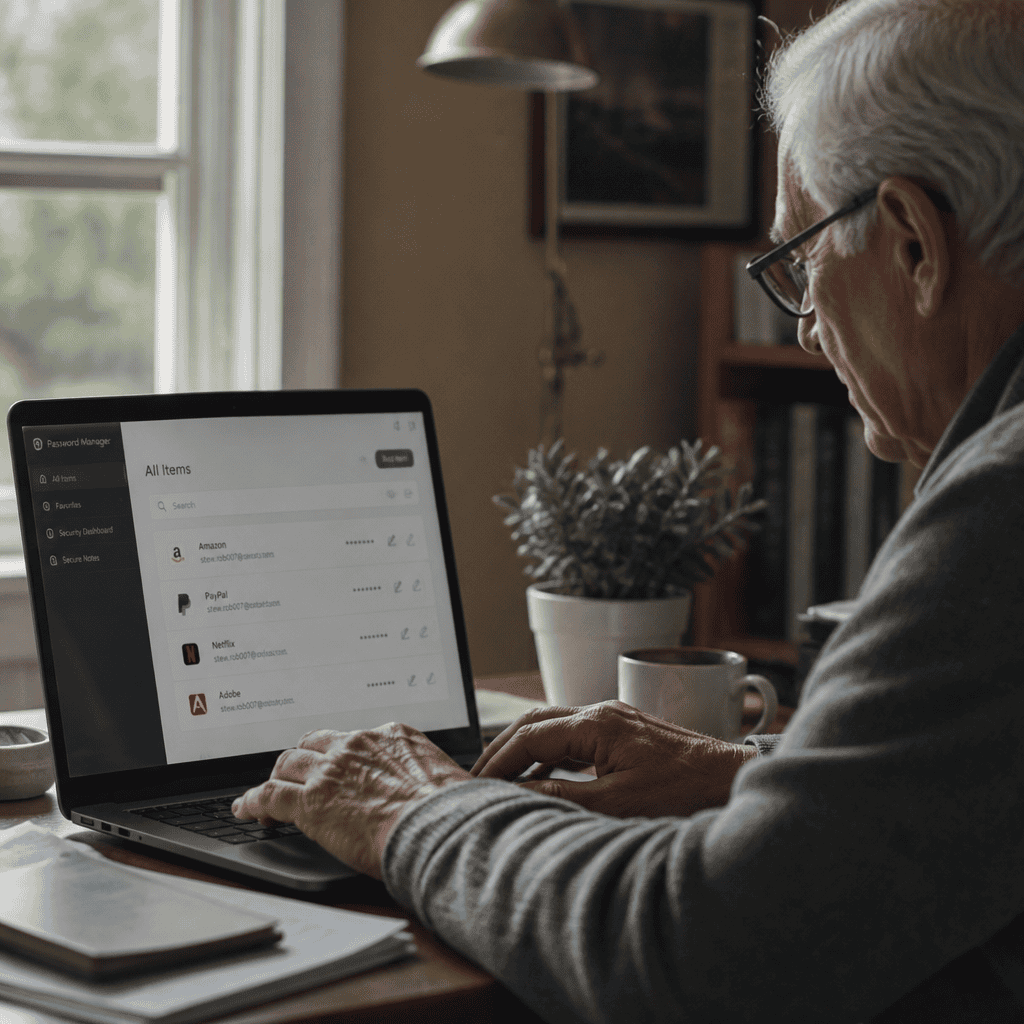
Weak passwords are typically short or common words that can be easily guessed or cracked through brute force attacks. Reusing passwords across multiple sites compounds risk as a breach on one platform can compromise multiple accounts. The National Cyber Security Centre recommends using long, random passwords combined with password managers to store them securely. Studies show that users employing password managers reduce breach risks by up to 50% (Google Security Blog, 2021).
Neglecting Two-Factor Authentication
Two-factor authentication (2FA) provides an additional security layer by requiring a second form of verification beyond a password. Despite its effectiveness in preventing 99.9% of automated attacks (Microsoft Security Report, 2022), adoption among seniors remains low due to perceived complexity. Educating seniors on simple 2FA methods like SMS codes or authentication apps can greatly enhance account security.
Falling for Phishing Scams and Its Impact on Senior Users
Phishing scams involve fraudulent communications designed to trick users into divulging sensitive information such as login credentials or financial details. According to the FBI’s 2023 Internet Crime Report, seniors represent one of the most targeted demographics, with losses exceeding $300 million from online scams. Professor Jane Walsh of the Cybersecurity Institute defines phishing as a deceptive practice exploiting trust and fear to cause victims to act rashly.
Phishing scams include email phishing, SMS “smishing,” and voice phishing (“vishing”). The growing sophistication of these scams makes it vital to understand their characteristics and how seniors can recognize and avoid them. This naturally leads to the importance of regular software and security updates as a defense mechanism.
Email Phishing
Email phishing is the most common form, where scammers send convincing emails imitating trusted entities such as banks or government agencies. These emails often contain malicious links or attachments. The Anti-Phishing Working Group (2022) reported that 74% of phishing attacks still use email as a vector, with seniors frequently targeted due to limited digital literacy.
Smishing and Vishing
Smishing uses text messages, while vishing uses phone calls to impersonate legitimate sources. The Federal Trade Commission noted a 30% increase in these attacks since 2020, disproportionately affecting older adults who may respond promptly out of concern or confusion. Awareness programs are critical in helping seniors identify suspicious messages and calls.
Ignoring Software Updates: A Common Senior Computer Oversight
Ignoring or postponing software updates is a widespread mistake among senior computer users. The cybersecurity firm Norton defines this behavior as a failure to apply patches that fix security vulnerabilities and improve performance. The importance of updates is underscored by data indicating that 60% of cyberattacks target known software flaws that could have been patched (Cybersecurity Ventures, 2023).
Hyponyms include neglecting operating system updates, antivirus software updates, and web browser patches. Older adults may delay updates due to fear of disrupting their workflow or misunderstanding update prompts, which leaves systems exposed to malware and ransomware attacks.
Operating System Updates
Operating system (OS) updates often include critical security patches. For instance, Windows and macOS frequently release updates that close vulnerabilities exploited by hackers. Statistics from Microsoft (2023) show that systems running outdated OS versions are 3 times more likely to encounter malware infections.
Antivirus and Browser Updates
Regular updates to antivirus software ensure new threats are detected and neutralized. Similarly, browsers must be updated to avoid exploits via malicious websites. Failing to maintain these updates increases risk exponentially, particularly for seniors who may rely heavily on web-based services.
Misunderstanding Privacy Settings and Online Security
Misconfiguring privacy settings on social media platforms, browsers, and applications is another common error among seniors. Privacy experts, such as Dr. Lisa Nakamura from the University of Michigan, define this as the unintentional exposure of personal data due to default or poorly managed settings. Research from the Pew Research Center (2022) reveals that 59% of seniors are unaware of how their data is shared online, increasing exposure to identity theft and data misuse.
Hyponyms include leaving social media profiles publicly visible, enabling location tracking unnecessarily, and accepting overly broad app permissions. Understanding and managing these settings is critical for maintaining online privacy and security, completing the spectrum of fundamental mistakes seniors should avoid.
Social Media Privacy Controls
Many seniors do not adjust privacy controls on social media accounts, inadvertently sharing sensitive information with strangers. Setting profiles to private and limiting friend lists can reduce risks. The Online Trust Alliance reports that users who customize these settings experience 40% fewer privacy breaches.
App Permissions and Location Tracking
Allowing apps access to unnecessary data, such as contacts or location, increases vulnerability. Seniors often grant permissions without reviewing settings due to unclear prompts or lack of awareness. Educating users on permission management can prevent data exploitation and enhance personal security.
Conclusion: Enhancing Senior Computer Competency and Security
In summary, seniors face distinct challenges in computer use, including poor password practices, susceptibility to phishing, ignoring essential software updates, and misunderstanding privacy controls. Addressing these issues through targeted education and practical tools can significantly enhance safety and confidence. With the growing senior population engaging with technology, fostering digital literacy is imperative to reduce risks and harness the benefits of the online world. Seniors, caregivers, and educators are encouraged to explore further resources such as the AARP’s Technology Education programs and the National Cybersecurity Alliance for continued learning and support.